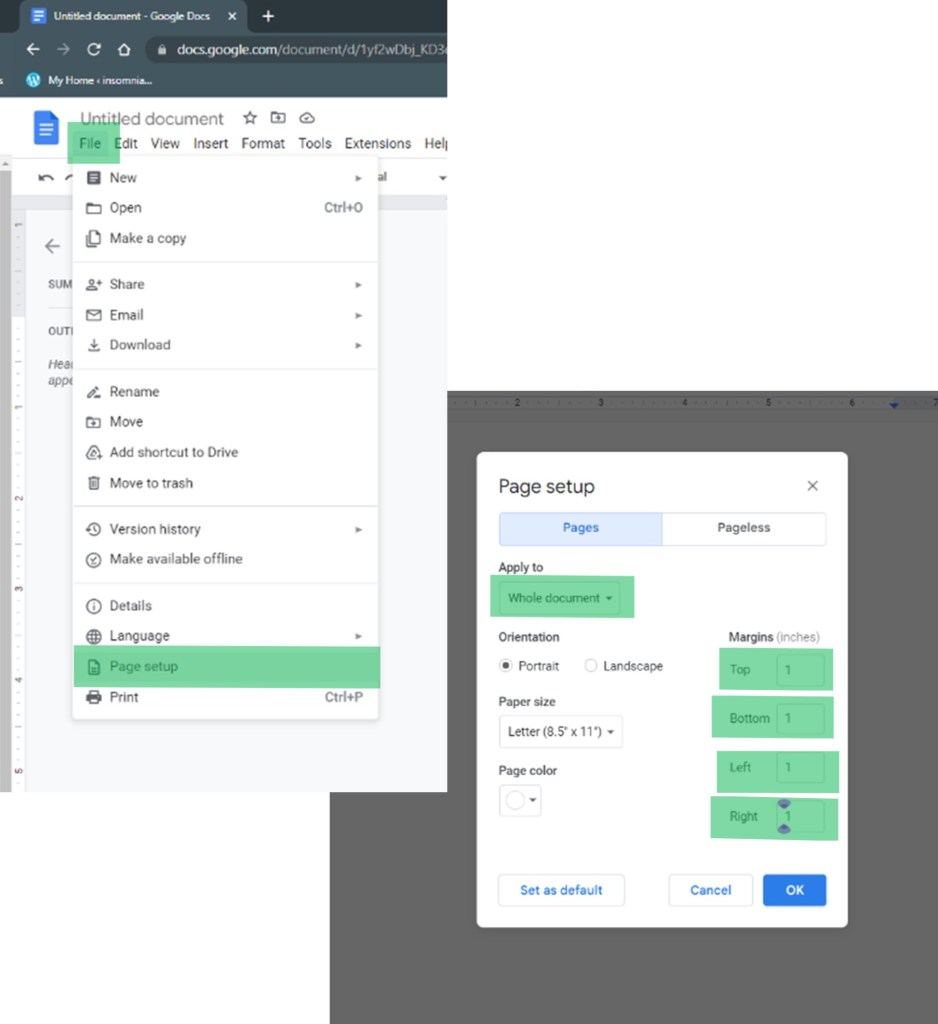
- Margins: Normal–1″ all sides
- Font: Times New Roman
- Font size: 12 pt
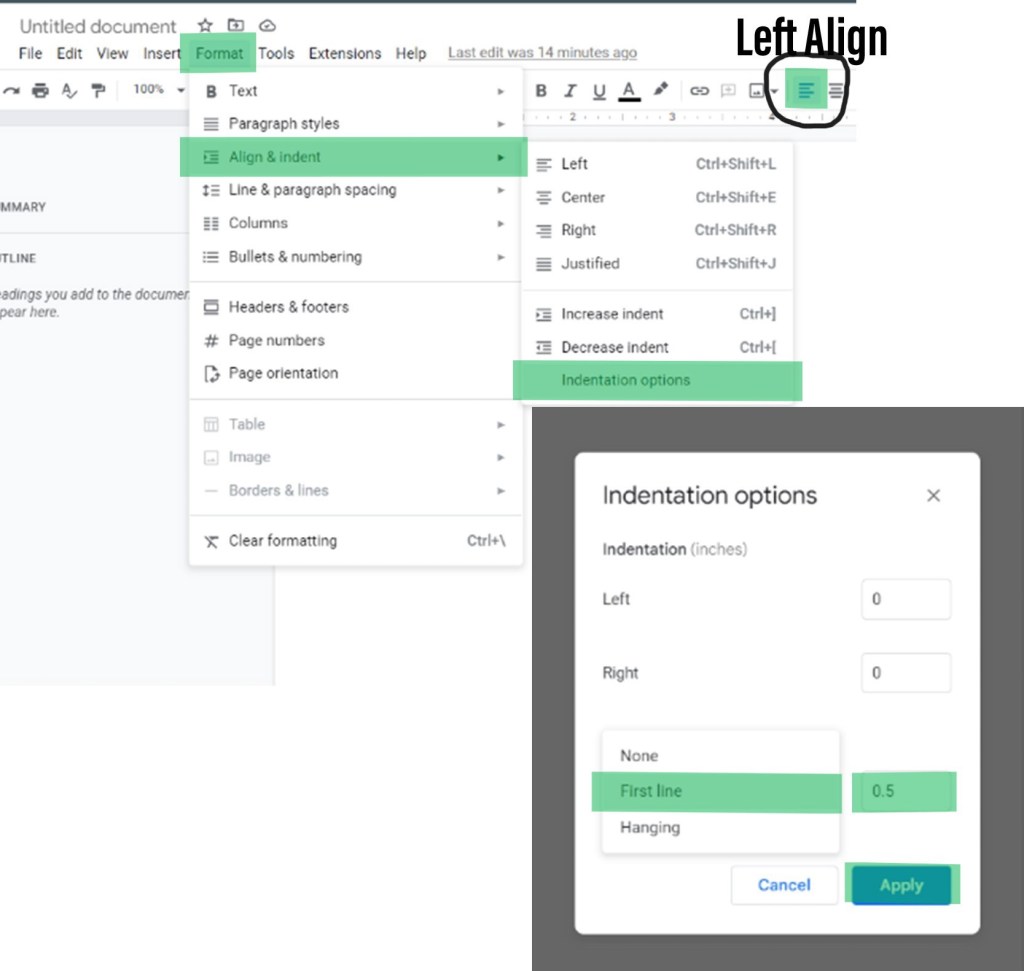
- Left Alignment
- First Line indentation 0.5
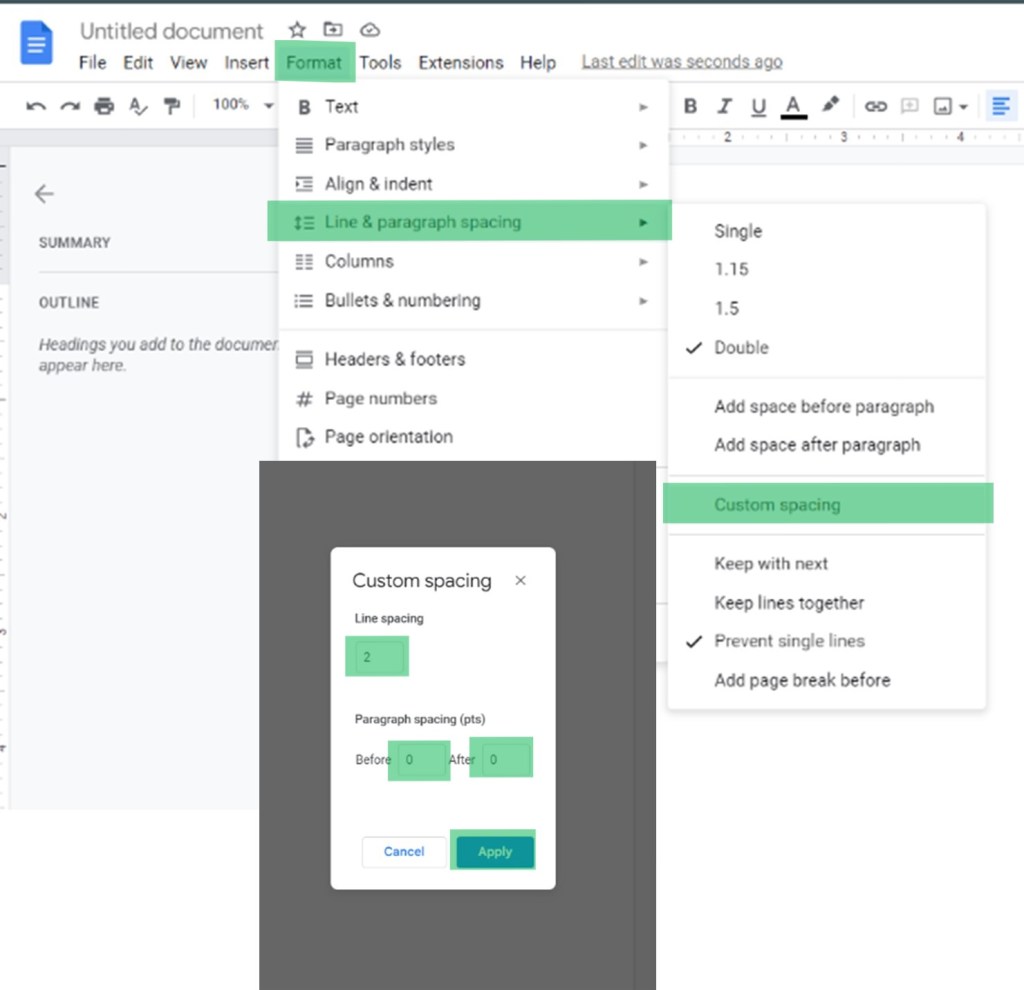
- 0 pt spacing before and after paragraphs
- Double spacing
*Manuscripts that do not meet submission requirements will incur a $10.00 fee.
What If I’ve Finished My Manuscript Already?
It’s easy to adjust a finished manuscript to meet submission requirements.
Instructions for Word
*Editor’s preference
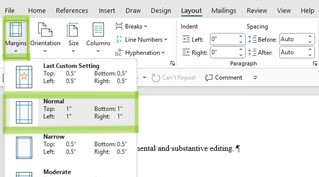
If you’re working from Word, go to the Layout tab on the toolbar. Choose Margins from the Ribbon and pick Normal from the layout.
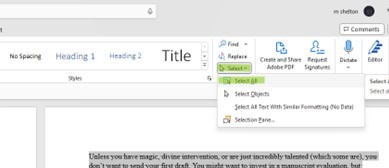
On the Home tab, choose Select All from the Editing group on the ribbon.
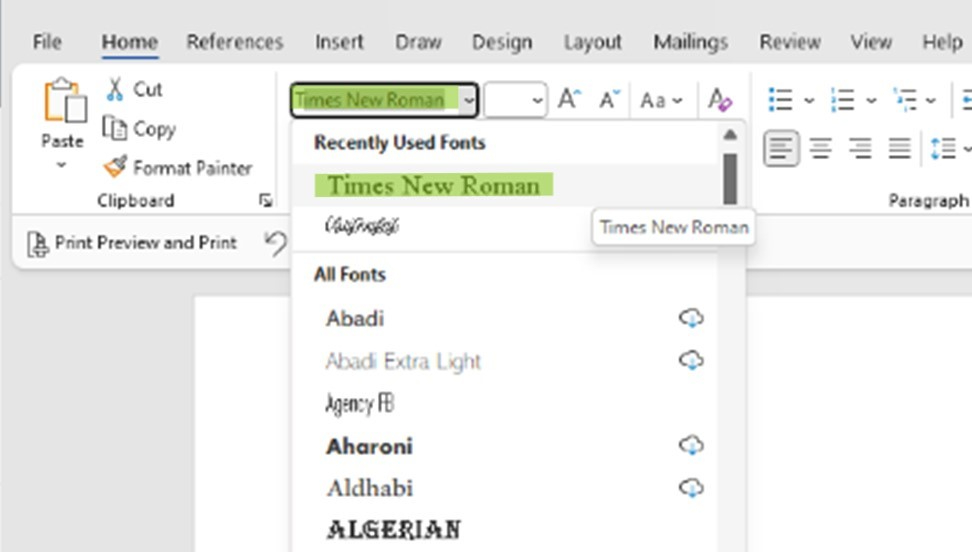
Staying on the Home tab, go to the Font group and the Font drop-down box and select Times New Roman.
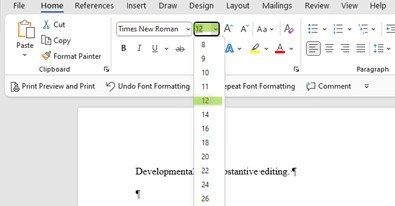
Staying in the Font group, go to the Font size drop-down and select 12.
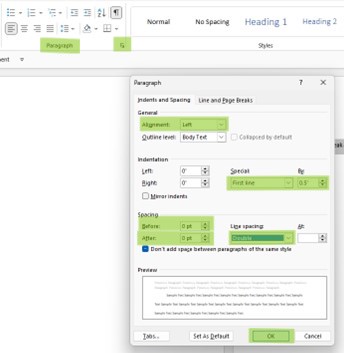
On the Home tab, go to the Paragraph group on the ribbon and use the small arrow in the right of the box (marked in the picture) to open the Paragraph drop-down menu. From here, you can Left align, set First Line indentations, and fix Spacing.
Instructions for Google Docs
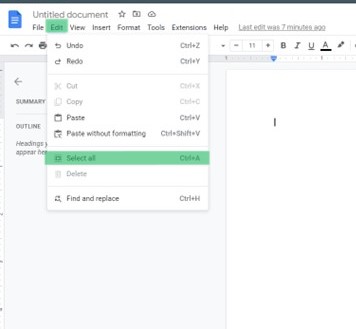
From Edit tab on the toolbar, choose Select All from the drop-down.

 Insomniac Editing